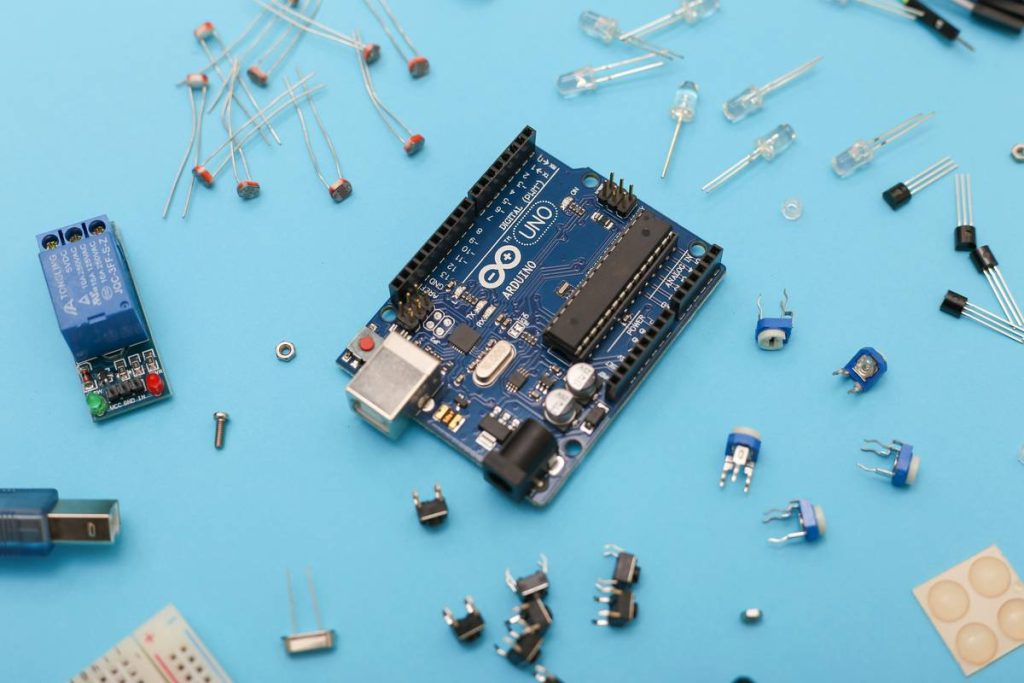
You bought an Arduino starter kit. You followed a YouTube tutorial. Your LED blinked—once. Then nothing. Frustration sets in fast when generic guides ignore the messy reality of real-world circuits. The problem isn’t your skill—it’s that most “beginner” content skips the gritty interface between C code and analog electronics. Here’s the fix: a lean, battle-tested approach to diy electronic arduino platform c programming that actually works on your breadboard tonight.
Why Most Arduino Tutorials Fail Real Builders
They treat the Arduino as a magic box. Code compiles? Great. But why does your temperature sensor drift at 3 a.m.? Why does your motor introduce noise that crashes your serial output? Because abstraction hides physics—and physics always wins.
Standard tutorials ignore power integrity, signal grounding, and memory constraints. They assume ideal conditions that vanish the moment you move beyond blinking LEDs. And that’s where projects die.
Step-by-Step: Building Reliable Arduino Systems with C
Selecting Hardware That Won’t Sabotage Your Code
Not all Arduinos are equal for embedded C work. The Uno’s ATmega328P has only 2 KB SRAM—enough to choke on modest sensor arrays. Need more headroom? Jump to a Mega or Teensy. But beware: pin numbering and register maps differ. Your C code must reflect hardware truth—not IDE convenience.
Writing Bare-Metal C (Without Getting Burned)
Yes, Arduino’s Wiring library simplifies things. But it also bloats binaries and hides timing quirks. For stable diy electronic arduino platform c programming, start with direct register manipulation for time-critical tasks—like reading rotary encoders or handling interrupts.
Example: Replace digitalWrite(13, HIGH) with PINB |= _BV(PB5). It’s faster. Uses less RAM. And teaches you how the chip *actually* works.
Debugging Like a Pro—Not a Guessworker
Serial prints eat memory and alter timing. Instead, toggle spare pins and measure with an oscilloscope—or even a $5 logic analyzer. Correlate code execution with physical behavior. That flicker in your OLED? Likely a race condition during I²C transmission. Find it by probing SCL/SDA lines while stepping through your state machine.
| Approach | Memory Overhead | Execution Speed | Learning Curve |
|---|---|---|---|
| Arduino Wiring Functions (e.g., digitalWrite) | High (~1.5 KB flash per pin op) | Slow (function call + validation) | Gentle |
| Bare-Metal C (Direct Register Access) | Negligible | Fast (single-cycle bit ops) | Steep—but rewarding |
| Hybrid (Wiring + Critical ISR in Register C) | Moderate | Optimized where it matters | Balanced |

The Industry Secret: Your Power Supply Is Lying to You
Here’s what no tutorial admits: 90% of “mysterious” Arduino crashes trace back to unstable VCC. USB ports sag under load. Breadboards add resistance. A motor startup can drop voltage enough to reset your microcontroller—even if your code is perfect.
The fix? Decouple aggressively. Use a 100 µF electrolytic + 0.1 µF ceramic capacitor across Vin/GND near the board. Power high-current devices from a separate regulator—not the Arduino’s onboard 5V rail. And never share ground paths between analog sensors and digital noise sources without a star-ground layout. This isn’t optional—it’s embedded hygiene.
Frequently Asked Questions
Can I use standard C libraries like stdio.h on Arduino?
No. Arduino’s avr-libc lacks full POSIX support. printf() pulls in huge overhead. Use Serial.print() or lightweight alternatives like printf-stdarg for debugging—sparingly.
Is Arduino C the same as regular C?
It’s C—but constrained by Harvard architecture and limited RAM. No dynamic allocation. Stack overflows crash silently. Write static, deterministic code. Forget malloc(); embrace fixed buffers.
How do I reduce code size for complex DIY projects?
Avoid String objects. Use PROGMEM for constants. Inline small functions. Strip unused libraries. Every byte counts—especially on Uno-class boards.